faster support resolution
Sole Product Designer | Research, UX & UI | 2024Improving dealer efficiency and trust through secure account impersonation.
TL;DR
the problem.
Sellers were receiving frequent customer support calls asking for step-by-step help, but had no safe or efficient way to act directly inside a customer’s accounts.
the solution.
Paired with a Product Manager, we designed a Customer Support Mode that allows sellers to securely log in as their customer, with full action logging to ensure transparency and trust.
the outcome.
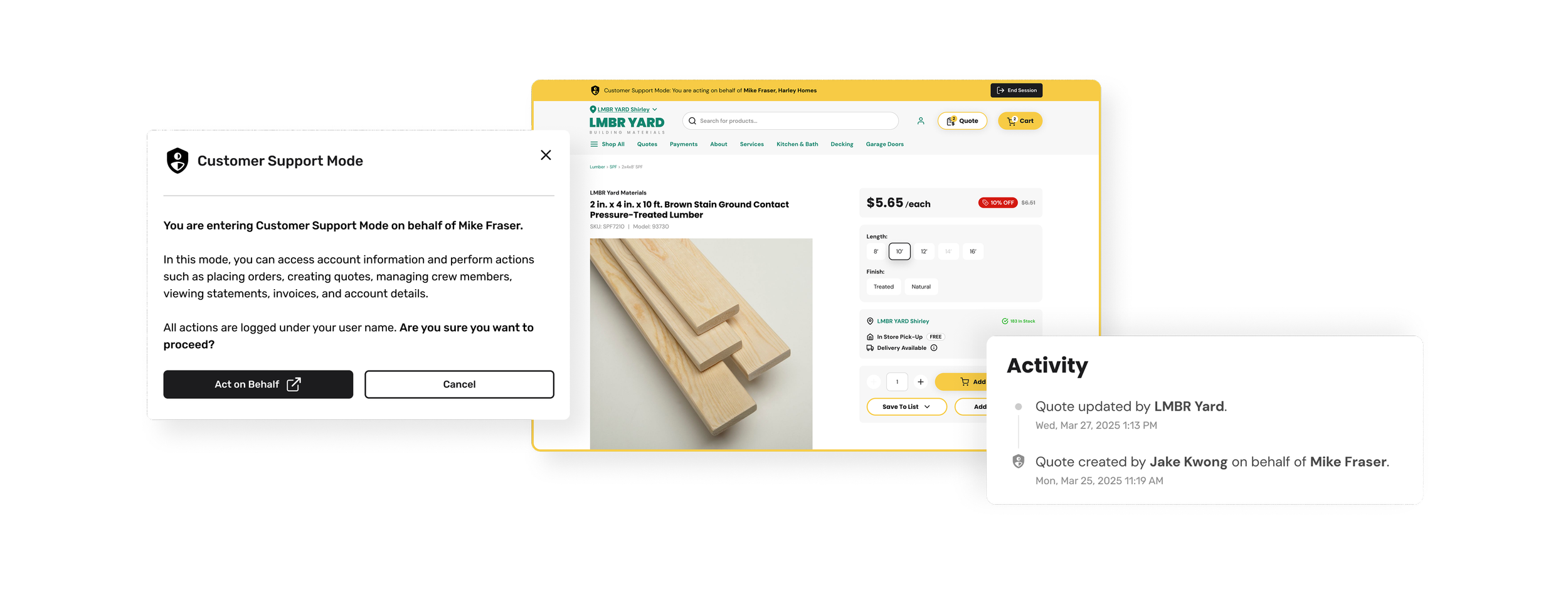
Sellers can now resolve customer issues directly within the product, reducing friction in support workflows and improving confidence in high-risk actions like payments & account changes.
scroll down for the detailed study ↓
the problem.
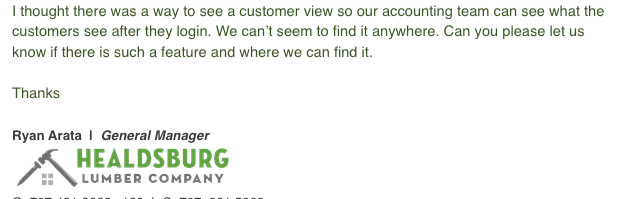
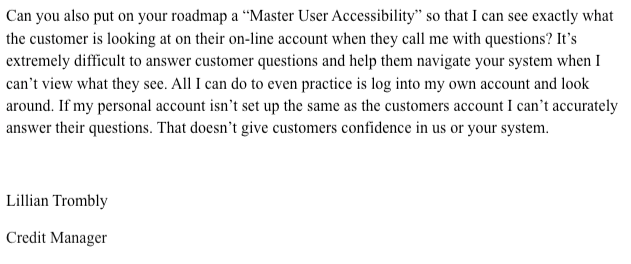
Sellers were spending hours every day on the phone walking their customers through the platform step-by-step, which was inefficient process that was prone to errors. Sellers needed a way to log into their customers' accounts to assist with orders or troubleshooting directly. However, we had to ensure this was done safely without compromising security or user trust.
the research.
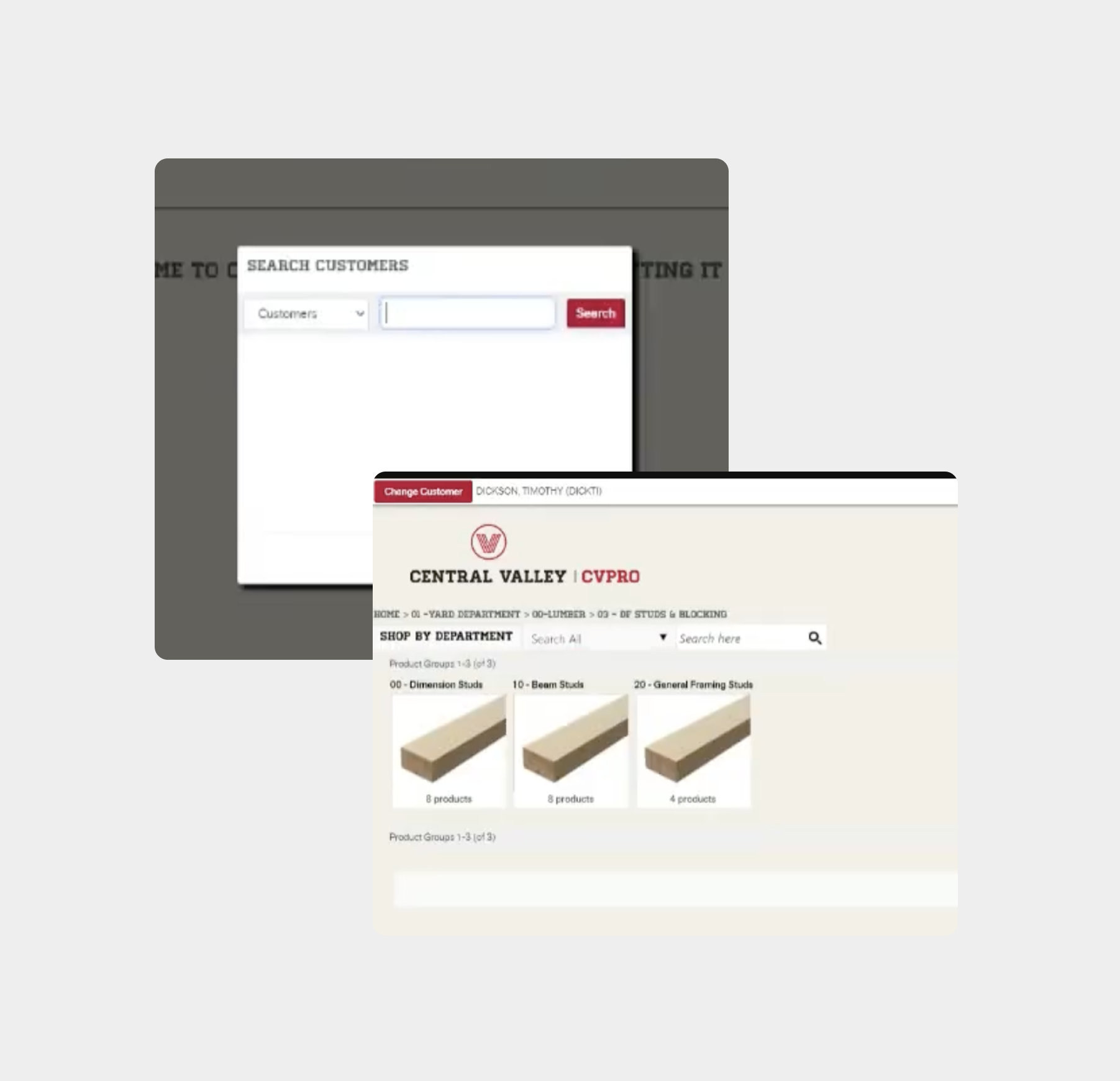
During a discovery session, one of our sellers demonstrated the tool they were using, which allowed them to sign in as their customer to access their account, place orders, and perform other actions on their behalf.
In the screenshot below, the top-left corner shows a red “Change Customer” CTA alongside the name of the customer currently being impersonated. While functional, this indicator was relatively subtle and could easily be overlooked.
Our goal was to make our impersonation mode very clear, making sure that sellers always had strong visual confirmation when acting on behalf of a customer and reducing the risk of errors.
the solution.
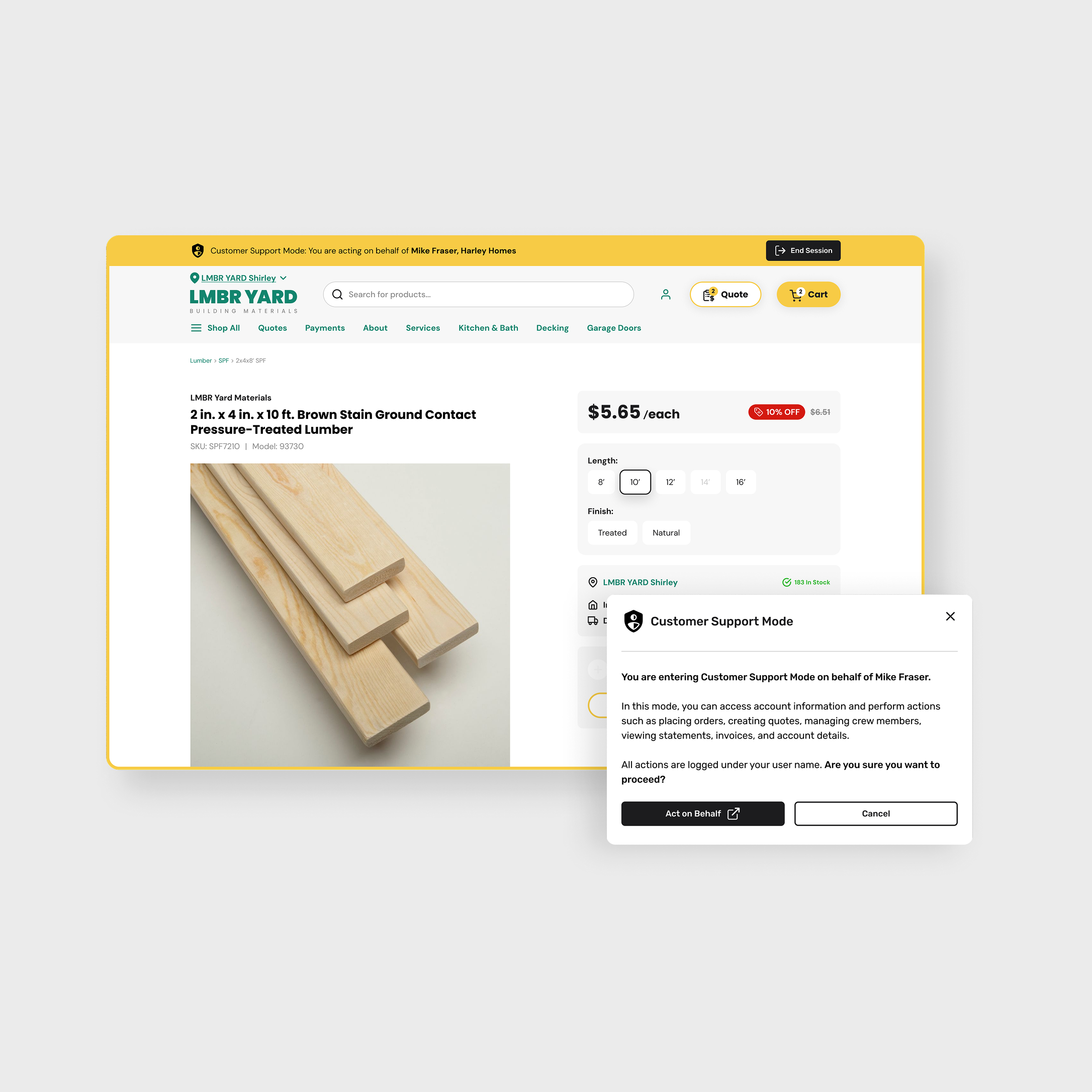
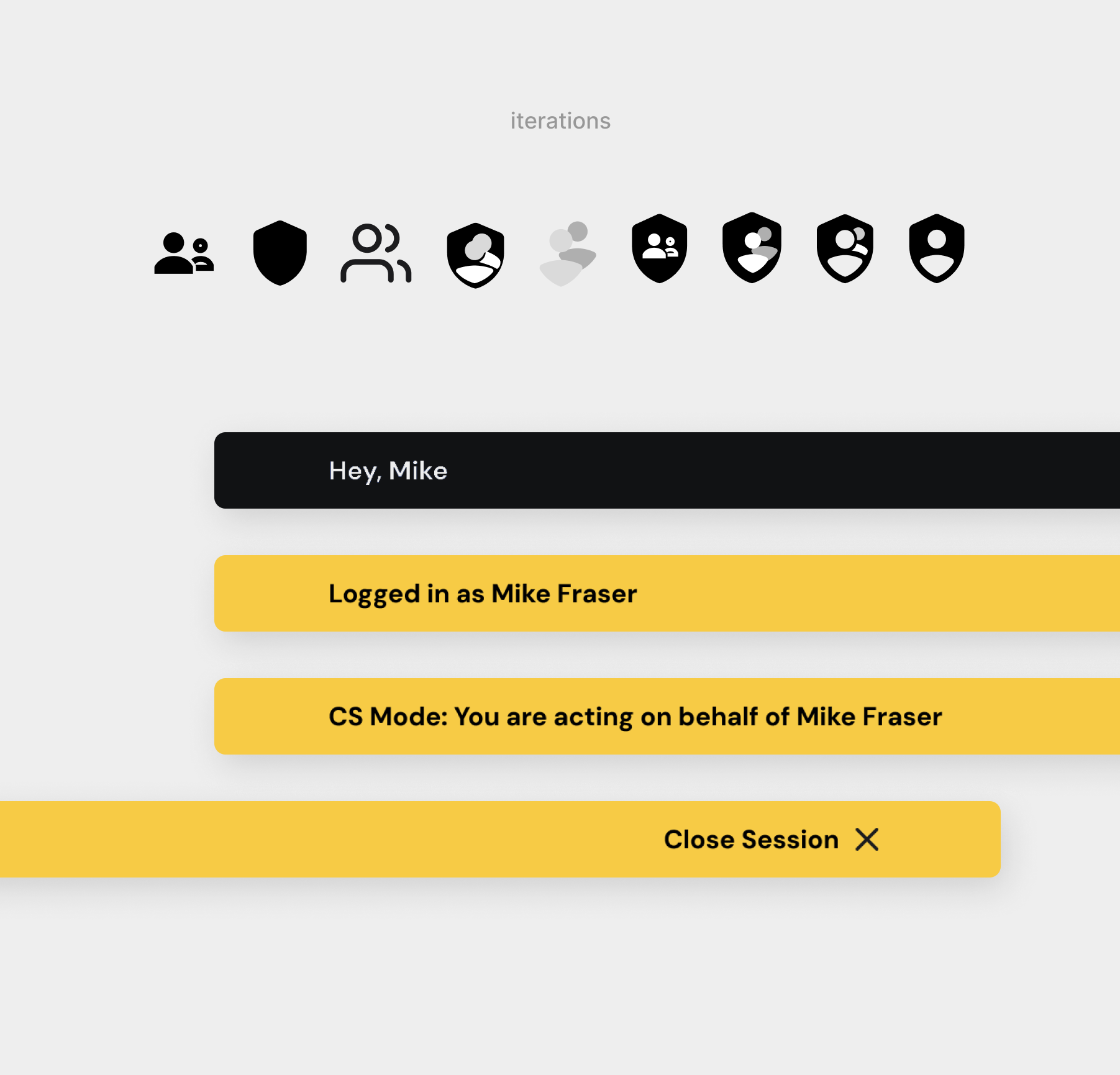
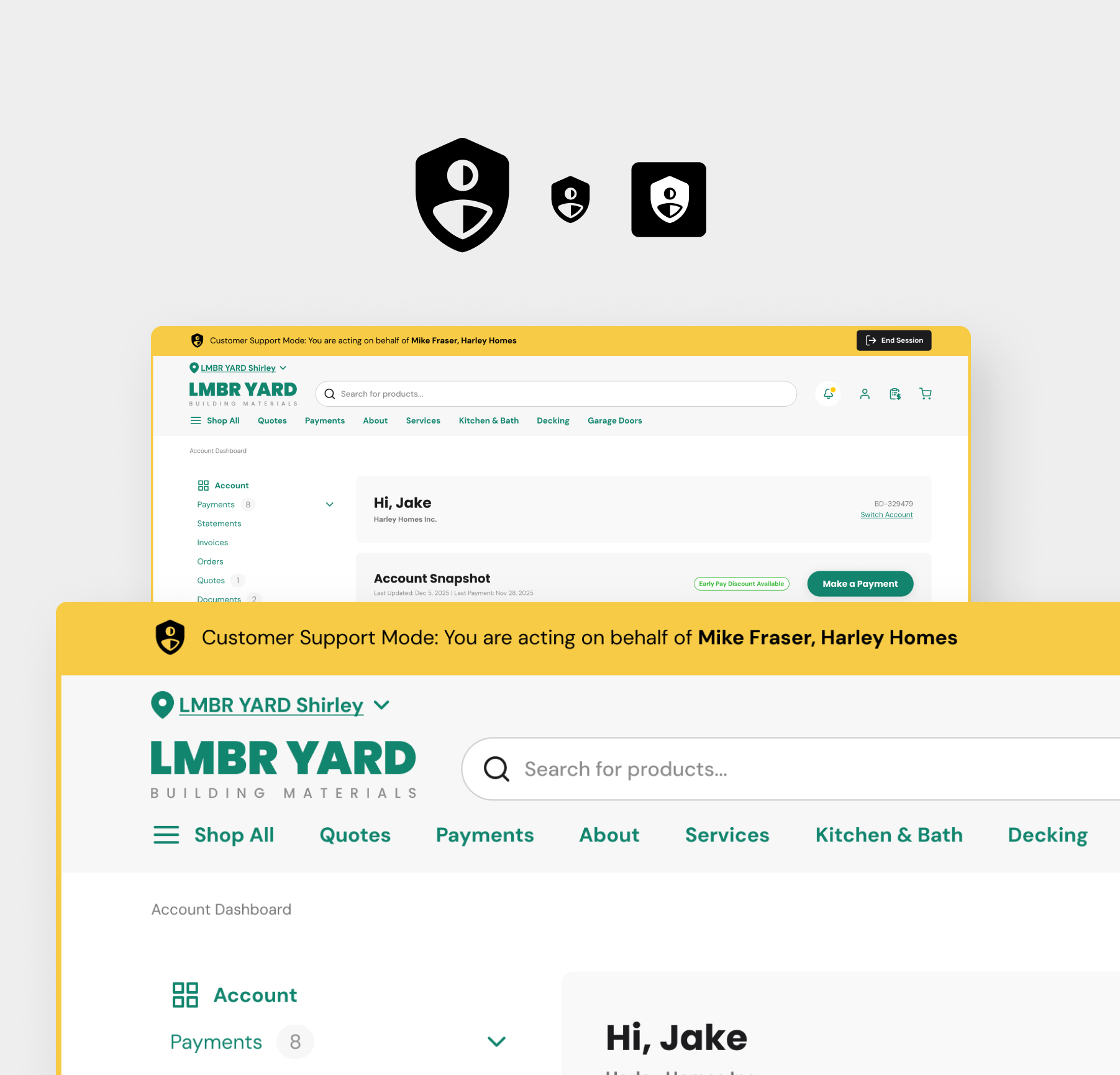
After several iterations and copy options, I created a distinct, thick yellow frame that wraps around the entire browser window when a seller logged in as their customer. This frame includes a clear label stating "You are acting on behalf of {username}" and a prominent "Exit" button.
The icon needed to depict trust and “shadowing” aspect with it, so at a glance a user would understand the idea of this feature.
safety & transparency.
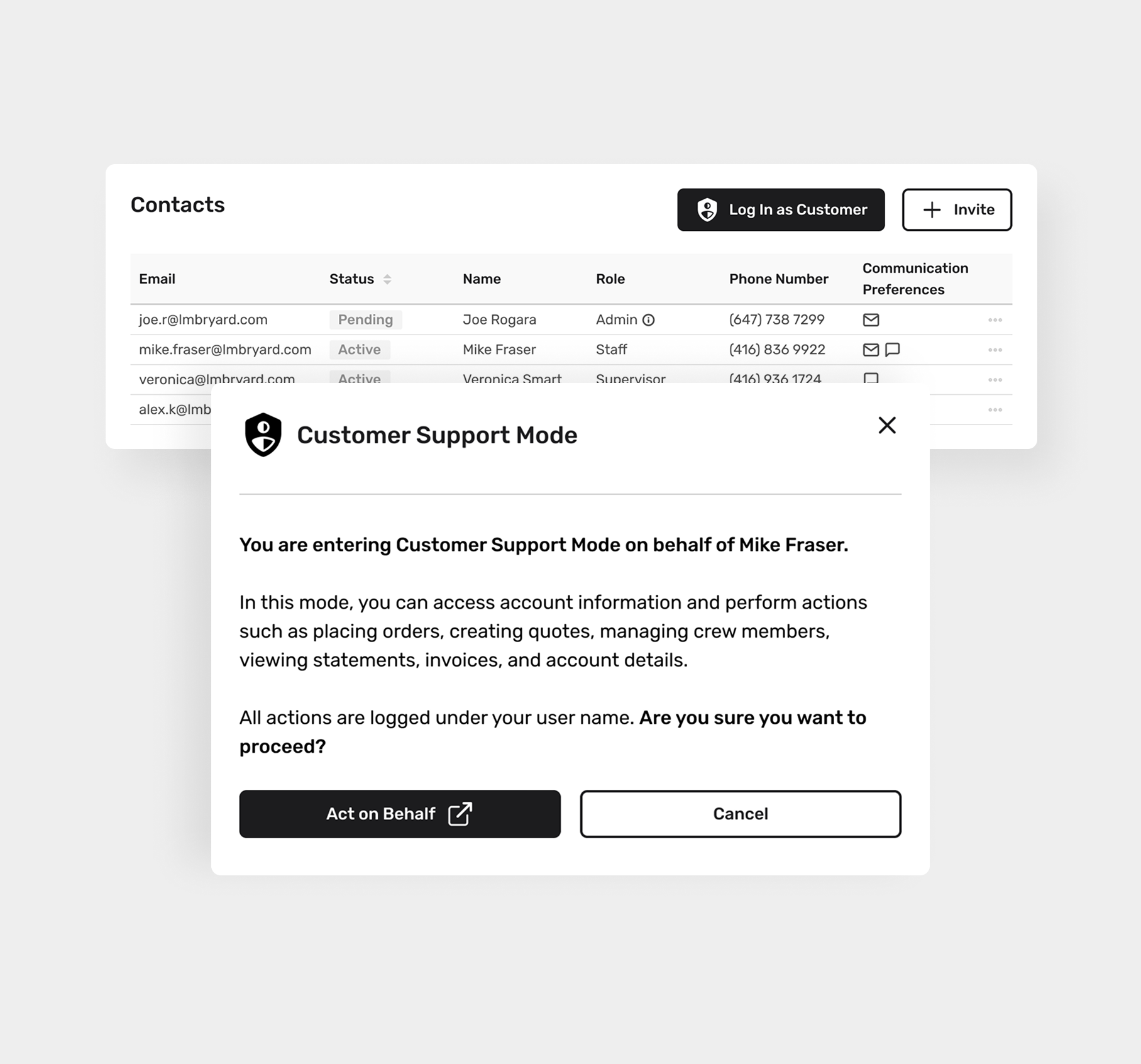
In Seller Admin: clear messaging that actions are being logged and persistent visual indicators when in Customer Support Mode.
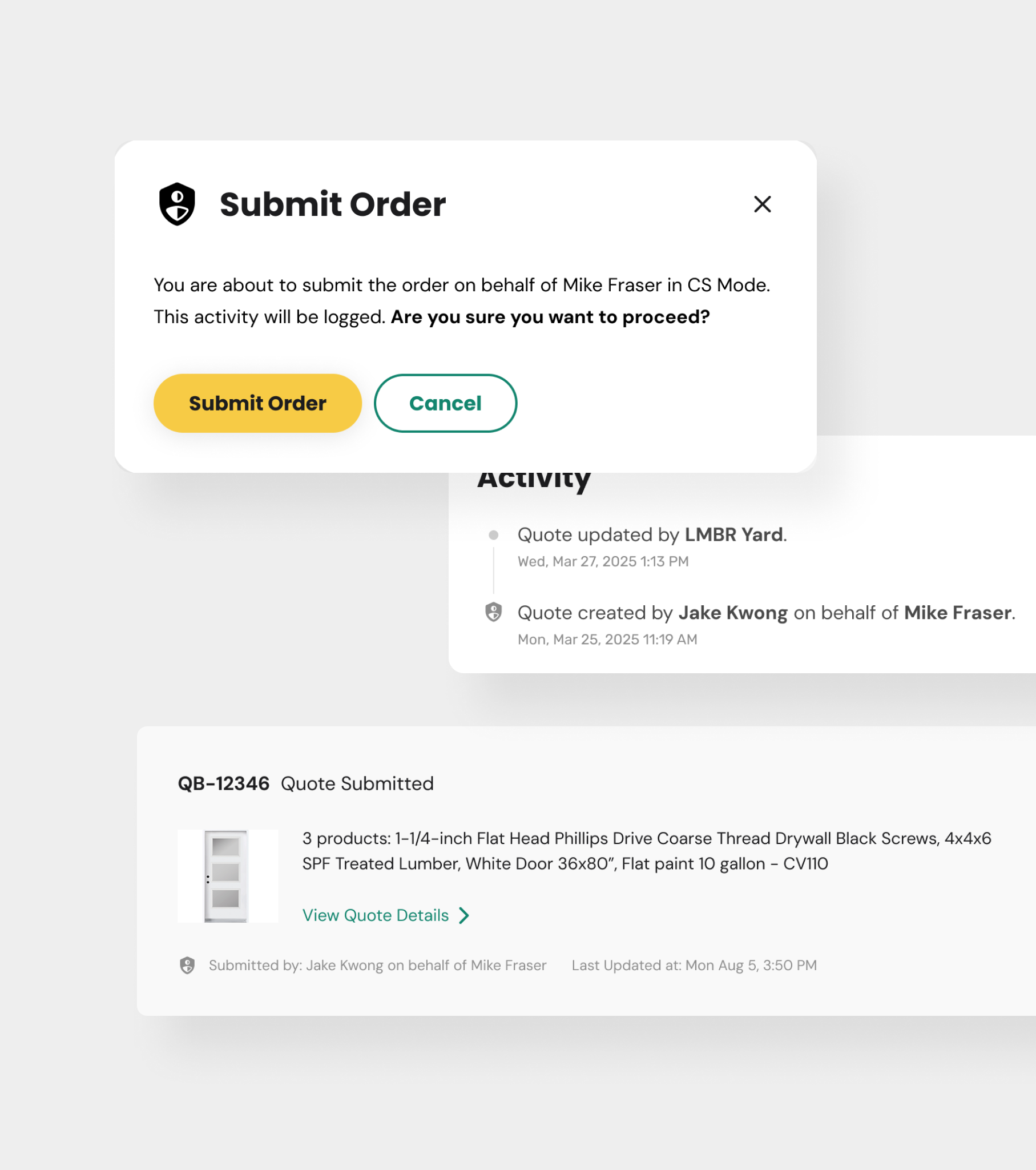
In Customer’s Portal: seller’s actions were never mistaken for customer-initiated behavior and were transparently logged inside their account (payment logs, orders, quotes etc.)
the outcome.
Reduced Friction: Average support call duration dropped drastically as sellers could do certain actions for their customers.
Internal Adoption: Our own internal team started using the tool for testing, which sped up our internal bug-reporting process & research findings.
Increased Trust: So far there have been zero reported instances of "accidental" sellers actions, reinforcing platform reliability and customer confidence.
Contract Renewal: This feature was cited as a key reason for a contract renewal by several of our largest multi-location dealers, directly strengthening long-term revenue retention.